
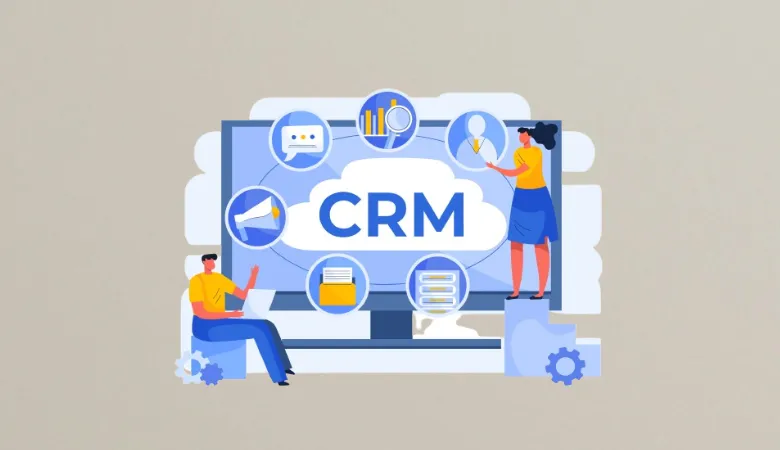
CRM stands for Customer Relationship Management. It is a system that helps you manage your customers, leads, sales, messages, and service records in one place.
In simple terms, a CRM helps your team know who your customers are, what they require, and what happened during previous conversations. It can store contact details, sales activity, emails, support requests, notes, and other useful records.
For example, imagine that a customer contacts your business after buying a product. Your team can open the customer record and see the past order, earlier messages, and support requests. This saves time because the customer does not need to solve the same issue again.
Modern CRM systems can also connect with email, marketing tools, customer service systems, calendars, and other business apps. Some now use artificial intelligence to help with tasks, reports, customer insights, and automation.
What Is CRM Software?
CRM software is a digital tool that helps you collect, store, manage, and use customer information.
Instead of keeping customer details in various spreadsheets, emails, notebooks, or personal files, your team can use one central system. This gives your sales, marketing, and service teams access to the same customer information.
For example, your sales team may record a new lead. The marketing team can then see the lead and send a suitable campaign. If that person later contacts customer support, the support team can also view the earlier activity.
This shared view can make customer communication more clear and consistent.
How Does a CRM System Work?
A CRM normally starts with customer data.
You may add a person’s name, phone number, email address, company, purchase history, messages, meetings, and other useful details. The system then stores this information in a customer record.
As your team communicates with that person, new activity can be added to the record. This may include:
- Emails
- Phone calls
- Sales meetings
- Website forms
- Purchases
- Support requests
- Marketing responses
- Follow up tasks
- Customer notes
The information can then be used by different teams.
For example, a sales employee can see which leads need a follow up. A support employee can see past customer problems. A marketing employee can use customer activity to create a more useful campaign.
What Can You Do With a CRM?

A decent CRM can support many parts of your business. The specific features depend on the software you choose, but most platforms focus on a few common areas.
1. Manage Customer Contacts
You can keep customer names, email addresses, phone numbers, company details, notes, and other information in one place.
This is useful when several employees work with the same customer. Your team can view the same record instead of asking other employees for old information.
2. Track Leads and Sales
You can record new leads and follow their progress through your sales process.
For example, a lead may move from:
New lead → Contacted → Meeting → Proposal → Won
This provides your sales team a straightforward view of what needs to happen next.
It can also help managers see where leads are being lost.
3. Manage Customer Service
Customer service teams can use the system to record complaints, questions, support requests, and past solutions.
Suppose your customer has already reported a problem twice. Your support employee can see the previous records before replying. As a result, the customer can receive a faster and more informed response.
4. Automate Repeated Tasks
Automation is now an important part of many CRM platforms.
You may be able to create automatic reminders, assign leads, send emails, update records, or move a lead to another stage after a specific action.
For example, when someone fills out a form on your website, the system can create a new lead and alert a sales employee.
This can decrease manual work and help your team focus on tasks that need human attention.
5. Create Reports
A CRM can turn customer and sales data into reports and dashboards.
You may be able to check sales activity, lead sources, conversion rates, customer activity, open support cases, and other business data.
These reports can help you make decisions based on actual activity instead of guesswork.
6. Connect Other Business Tools
Many modern CRM systems can connect with other business software.
Depending on the platform, you may connect email, calendars, websites, marketing tools, payment systems, customer service tools, and communication apps.
This can reduce the need to move information from one system to another.
Benefits of Using a CRM for Your Business
A CRM is not useful simply because it stores customer information. Its real value comes from how your team uses that information.
Here are some of the main benefits.
1. Keep Customer Information in One Place
One of the biggest advantages is having a central customer record.
Without a CRM, information may be spread across spreadsheets, email accounts, chat messages, documents, and personal notes.
That can make important information difficult to find.
With a central system, your team can find customer information faster and work from the same data.
2. Improve Customer Service
Good service often depends on knowing the customer’s history.
A CRM can show past purchases, conversations, support requests, and notes. Your employee can review this information before responding.
For example, if a customer asks about an order, your support team may be able to review the order history without asking the customer for the same details again.
This can make the experience smoother for both sides.
3. Help Your Sales Team Work Better
Sales teams often manage many leads at the same time.
A CRM can show which leads are new, which need a call, which have received a proposal, and which are close to buying.
Your team can then focus on the right tasks.
It can also help managers review sales activity and identify areas where leads are being delayed.
4. Save Time Through Automation
Some business tasks are repeated every day.
For example, employees may need to send reminders, assign leads, update records, or create follow up tasks.
When suitable automation is available, these actions can be handled by the system.
This does not mean every task should be automated. Human input is still important for complex customer needs.
5. Support Better Marketing
Your marketing team can use customer data to understand interests and past activity.
For example, people who bought a laptop may be interested in laptop accessories. A company could use that information to create a relevant campaign.
However, customer data should be used with care. Your business should follow applicable privacy laws and give customers suitable choices about their data and communications.
6. Improve Team Collaboration
A shared customer record can help different teams work together.
Sales can see marketing activity. Support can see customer history. Marketing can see useful sales information.
This reduces the risk of one team working with old or incomplete information.
Modern CRM platforms are also designed to support information sharing across departments.
7. Make Better Business Decisions
Reports can show patterns that are difficult to see in raw data.
For example, your report may show that most leads come from one marketing channel. It may also show that customers from another channel have a higher purchase rate.
You can then compare the results and decide where to spend more time or money.
The quality of the decision still depends on the quality of the data. A dashboard cannot fix incorrect or incomplete information.
8. Understand Your Customers Better
A customer record can contain many useful signals.
You may learn what a customer bought, when they contacted your business, which service they used, and what problems they faced.
Over time, this information can help you understand customer needs and improve your products or services.
9. Support Business Growth
A small business may manage customers with spreadsheets at first.
As the number of customers and employees grows, this can become harder to manage.
A CRM can provide a more organised system for handling customer data and sales activity. This is why CRM software can be useful for small businesses as well as large companies.
Does Every Business Need a CRM?
No. A CRM is useful, but it is not automatically the right choice for every business.
If you have very few customers and your sales process is simple, a spreadsheet may be enough for now.
However, a CRM becomes more useful when you have many customers, several employees, repeated follow ups, a longer sales process, or customer information spread across different tools.
The right choice depends on your business size, workflow, budget, and goals.
CRM and Artificial Intelligence in 2026
Artificial intelligence is now being added to many CRM platforms.
AI can help with tasks such as analysing customer data, creating summaries, finding useful patterns, assisting with reports, and handling some repeated work.
For example, an AI feature may summarise a long customer conversation so an employee can understand the main issue faster.
Still, you should not treat every AI result as correct. Your team should check important information before using it in customer communication or business decisions.