
If you’ve been gaming in the US for a while, you already know that console gaming isn’t just about a box under your TV anymore. Modern gaming consoles are complete entertainment hubs. They run AAA games, stream movies and shows, sync your game saves to the cloud, connect to your smartphone, and support everything from wireless headsets to VR accessories.
After more than 10 years of playing games competitively and writing about the gaming industry, I’ve noticed one thing that never changes: the best gaming console is the one that fits your lifestyle, whether you enjoy couch co-op, competitive online matches, handheld gaming, or casual gaming sessions.
This guide explains console gaming, its key functions, compatible devices, and a detailed comparison between console gaming and mobile gaming. It also includes a list of the five best gaming consoles that are popular among players in the US.
What Are Gaming Consoles?
A gaming console is a dedicated device designed to play video games with stable performance, standardized controls, and a complete gaming ecosystem that includes an online store, subscription services, and accessories.
Unlike a gaming PC, consoles focus on simplicity. You install a game, sign in to your account, and start playing without worrying about drivers, graphics settings, or hardware compatibility.
Functions of Modern Gaming Consoles
Today’s gaming consoles offer much more than just playing games.
1. High Performance Gaming
Many modern games run at 60 FPS, while some competitive titles support even higher frame rates depending on the game and display.
2. 4K HDR Graphics
Most modern consoles support 4K resolution, HDR, Variable Refresh Rate (VRR), and Auto Low Latency Mode (ALLM) for smoother gameplay on compatible TVs.
3. Digital Store and Subscription Services
Consoles include digital stores where you can purchase games, download updates, access cloud saves, and subscribe to online gaming services.
4. Online Multiplayer
Most popular games support online multiplayer and party chat. Many also allow cross-platform play, making it easier to play with friends using different devices.
5. Backward Compatibility
Some gaming consoles let you play games from previous console generations, often with faster loading times and improved graphics.
6. Entertainment Apps
Modern consoles also work as media centers. You can stream content from Netflix, Disney+, Hulu, YouTube, Spotify, and many other entertainment apps.
7. Remote Play and Cloud Gaming
Many platforms allow you to stream supported games to your phone, tablet, or laptop, making it easier to continue playing away from your TV.
8. Accessibility and Parental Controls
Modern consoles include accessibility features like button remapping, captions, screen readers, parental controls, family accounts, spending limits, and screen time management.
What Devices Can Gaming Consoles Connect To?
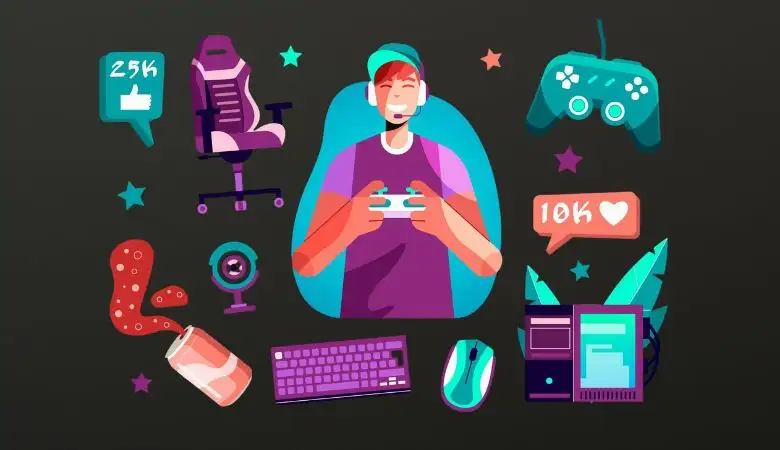
A great gaming experience depends not only on the console but also on the devices connected to it.
Compatibility Checklist
- TVs and monitors with HDMI support, Game Mode, HDR, and VRR.
- Official and third-party controllers, including accessibility controllers.
- Wired and wireless gaming headsets.
- External storage devices and expansion SSDs (depending on console support).
- Smartphones and tablets for companion apps, remote downloads, party chat, and Remote Play.
- PCs and laptops for game streaming, Remote Play, and content creation.
- Capture cards for recording or streaming gameplay.
- Racing wheels and flight sticks, depending on game and platform compatibility.
Console Gaming vs Mobile Gaming
Both console gaming and mobile gaming offer enjoyable experiences, but they serve different purposes.
Console gaming is ideal for long gaming sessions, larger displays, better graphics, and precise controller support.
Mobile gaming is perfect for quick gaming sessions, portability, touch controls, and entertainment while traveling.
| Category | Console Gaming | Mobile Gaming |
|---|---|---|
| Controls | Physical controller precision | Touch controls (or optional controller) |
| Game Design | Longer campaigns, deeper systems | Short loops, fast rewards, casual-friendly |
| Performance | More stable frame rate/graphics | Varies by phone model, heat, battery |
| Cost | Higher upfront hardware cost | Low entry cost, phone already owned |
| Monetization | 60–70 games + subscriptions | Free-to-play common + in-app purchases |
| Competitive Play | Strong for shooters/fighters/sports | Strong for quick competitive titles; touch can limit precision |
| Social Play | Couch co-op + party chat | Always-connected, quick invites |
| Best Use Case | Home setup, longer sessions | Travel, breaks, daily quick play |
Which Gaming Platform Should You Choose?
Choose a gaming console if you prefer:
- Playing on a large TV from your couch.
- Better controls for FPS, racing, sports, and fighting games.
- Long gaming sessions with high-quality graphics.
Choose mobile gaming if you prefer:
- Playing during short breaks or while traveling.
- Lower initial costs.
- Entertainment that’s always available wherever you go.
The 5 Best Gaming Consoles in 2026
There are many gaming consoles available today, but these five are among the most popular choices in 2026.
1. PlayStation 5 (PS5 / PS5 Slim)
The PlayStation 5 is an excellent choice for gamers who enjoy exclusive titles, cinematic adventures, and competitive online gaming.
2. Xbox Series X
The Xbox Series X offers powerful hardware, excellent performance, and strong integration with the Xbox ecosystem.
3. Xbox Series S
The Xbox Series S is a budget-friendly option for players who prefer digital games and want next-generation gaming at a lower price.
4. Nintendo Switch (OLED, Standard, and Lite)
The Nintendo Switch is perfect for families, local multiplayer gaming, and handheld gaming. It also offers exclusive Nintendo games that are unavailable on other platforms.
5. Steam Deck
The Steam Deck is a handheld gaming PC that lets you enjoy your existing Steam library while offering the flexibility of PC gaming on the go.
FAQ
For most gamers, the PlayStation 5 remains the best all-around gaming console. The Xbox Series X and Series S provide excellent value and services, while the Nintendo Switch is the top choice for family-friendly and handheld gaming.
Console gaming offers better graphics, performance, and controller support for long gaming sessions. Mobile gaming is more convenient for quick entertainment. The better choice depends on your gaming preferences and lifestyle.
Yes. Many gamers prefer using a monitor because it often provides lower input lag and higher refresh rates, making it ideal for competitive gaming.