

A CMS can make running a website much easier. Content gets published quickly, different people can manage different parts of the site, and new features can usually be added without rebuilding everything. The problem starts when all of that convenience is left unsecured.
A CMS is connected to user accounts, databases, plugins, APIs and the server itself. If one of those areas is poorly configured or simply forgotten, it can give an attacker a way in. CMS hardening is basically about closing those unnecessary gaps before they turn into a real security problem. And it’s not just about installing a security plugin.
Keep Everything Updated
This is one of the boring parts of website security, but it matters. CMS software, plugins, themes, libraries and server software all need regular updates. Security fixes are released because somebody has already found a weakness, so leaving an old version running creates an avoidable risk. CISA recommends prioritising vulnerabilities that are known to be actively exploited, especially on internet-facing systems.
The same rule applies to things that are no longer being used. Old plugins, unused themes, test installations and inactive admin accounts should be removed instead of sitting around “just in case”. They’re easy to forget and surprisingly useful to someone looking for a way into the site.
Take User Access Seriously
Not every person working on a website needs access to everything. An editor may need to publish articles. A developer might need access to certain technical settings. Neither necessarily needs full administrator privileges. This is where role-based access control helps. Give each account the permissions needed for its actual job and nothing more.
Administrator accounts should also have multi-factor authentication enabled. Passwords can be stolen through phishing, reused across services or exposed in a data breach somewhere else. MFA adds another barrier when the password itself has already been compromised. It’s also worth separating everyday accounts from high-level administrative accounts. Using a full admin account for routine work creates more opportunities for that account to be exposed.
Secure the Server and Database Too
The CMS dashboard gets most of the attention, but the software underneath it matters just as much. The production server shouldn’t have unnecessary services or open ports sitting around. Development files, old backups and configuration files shouldn’t be publicly accessible either.
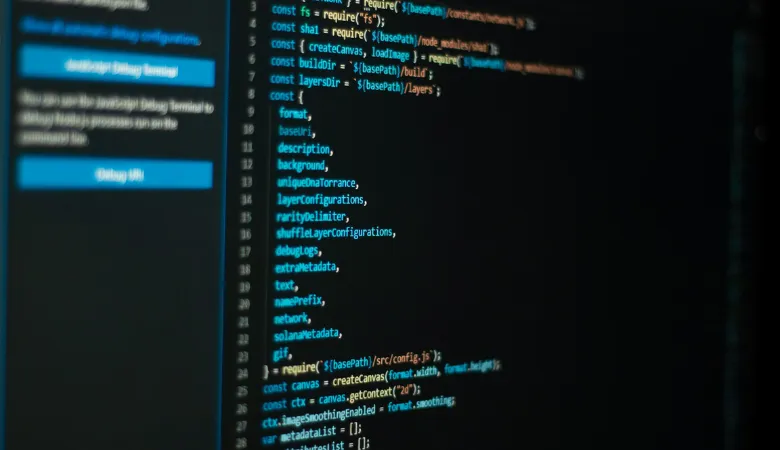
A file containing database credentials is particularly dangerous if it can be downloaded through a browser. Database accounts should have only the permissions the application actually needs. There’s little reason for a website application to have unrestricted control over an entire database server.
The same thinking should be applied to APIs. An API endpoint doesn’t become secure simply because there’s no button for it on the website. Attackers can send requests directly, so permissions need to be checked on the server side. OWASP continues to list broken access control as one of the major web application security risks.
Use HTTPS and a WAF
HTTPS should cover the whole website, not only the login or checkout page. Passwords, session information, and other sensitive data are all protected by TLS as they go between visitors and the server. By analysing incoming requests and stopping particular malicious activity before it reaches the application, a Web Application Firewall can offer an additional layer. Although the additional layer may be helpful, it shouldn’t be used as justification for ignoring software that’s prone to vulnerabilities.
Think of a WAF as another security barrier, not a replacement for actually fixing the problem. If a plugin has a known vulnerability, the proper solution is still to update or remove the plugin.
Backups Should Actually Work
Having a backup somewhere doesn’t necessarily mean having a recovery plan. Backups should include the website files, database and important configuration information. At least some copies should be kept separately from the main production server. This becomes very important during ransomware or other serious attacks.
Imagine a website being compromised and all of its files being deleted. If the only backup is stored on the same server, there’s a good chance that backup is gone too. And backups need to be tested. A failed restoration discovered during an emergency is a very expensive way to find out that the backup process was never working properly.
Watch What’s Happening
Hardening a CMS isn’t the end of the job. Someone still needs to know when something unusual happens. Login attempts, new administrator accounts, permission changes and unexpected file modifications should be logged and reviewed. A sudden series of failed admin logins, for example, shouldn’t sit unnoticed in a server log for weeks.
Regular security checks can also catch things that were missed during the original setup. Maybe an old account was never removed, a plugin was installed for a campaign six months ago and forgotten. Maybe a developer left a test page accessible on the live server. These are small things until they become the thing an attacker uses.
For businesses without an internal technical team, getting outside support can also make sense. A digital agency Peterborough can help with areas such as website management, technical SEO and other digital requirements, while internal staff stay focused on their main responsibilities.
Security Needs Regular Attention
There’s no final point where a CMS can be called “secure” forever. Websites change constantly. New plugins get installed. Staff accounts change. Software becomes outdated. New vulnerabilities are discovered. That means CMS hardening needs to be treated as ongoing maintenance.
Keep software patched. Remove things that are no longer needed. Review permissions. Protect the server and database. Test backups. Check the logs. None of these steps is particularly complicated. The bigger problem is usually that one or two of them get ignored for too long. A secure CMS is really about reducing those forgotten gaps. The fewer unnecessary doors there are, the harder the website is to break— and the easier it is to recover when something eventually goes wrong.