
ALT Text is a short description added to an image in HTML. It tells users and search engines what the image represents. It also helps people who use screen readers understand the image.
When I improve a WordPress site, I often find that image descriptions are missing or unclear. This can decrease accessibility and make it more difficult for search engines to understand the page.
An image file name is not enough. A useful description gives the image a clear purpose. For example, “woman using a laptop” is better than “IMG_4588.jpg”.
Why Is ALT Text Important?
ALT Text helps users when an image cannot be seen. A screen reader may read the description aloud. This gives useful information to people with visual disabilities.
It also helps when an image fails to load. The description may be shown instead of the image. As a result, the user can still understand the main idea.
Search engines use many signals to understand an image. These include the page text, image file name, nearby content, and the alt attribute. However, a search engine does not understand an image in the same way a person does.
Google says that image descriptions should be useful and informative. They should support users, not act as a place for repeated keywords. Google also recommends using clear file names and placing images near related text.
How to Write a Good Image Description
Describe the main subject and action. Add important details only when they help the reader.
For example:
“Baker decorating a chocolate cake”
This description is short and clear. It tells the reader who is in the image and what the person is doing.
A weak example would be:
“Cake baking food kitchen chef dessert chocolate recipe bakery”
This is not natural. It also looks like keyword stuffing, which can make the page harder to use.
Should You Add Keywords?
Add a keyword only when it fits the image and the page. Do not add a keyword to every image.
For example, if the page describes the WordPress image settings and the image shows the alt field, you could write:
“WordPress image settings panel with the alt attribute field”
If the image shows a team meeting, adding an irrelevant SEO keyword would be misleading. Clear descriptions are more useful than forced phrases.
Decorative Images Need Different Treatment
Some images add no meaning. They may be borders, shapes, icons, or background designs. These are decorative images.
For a decorative image, use an empty alt attribute:
<img src=”line.png” alt=””>
This tells a screen reader to skip the image. The image should not be hidden from users who need the information.
Do not write “decorative image” unless that information benefits the reader. An empty description is often the better choice.
How Long Should the Description Be?
There is no fixed character limit that works for every image. The description should be as short as possible while keeping the meaning.
In my work, one clear sentence is enough for most images. A product image may need the product name and one key feature. A chart may need a short summary of its main result.
If an image includes important data, do not place all the information in the description. Add the full data in the page text or in a nearby table. This makes the information easier to read and use.
How to Add It in WordPress
WordPress offers an alternative text field in the Media Library and image block. Open the image settings, find the alternative text field, and describe the image.
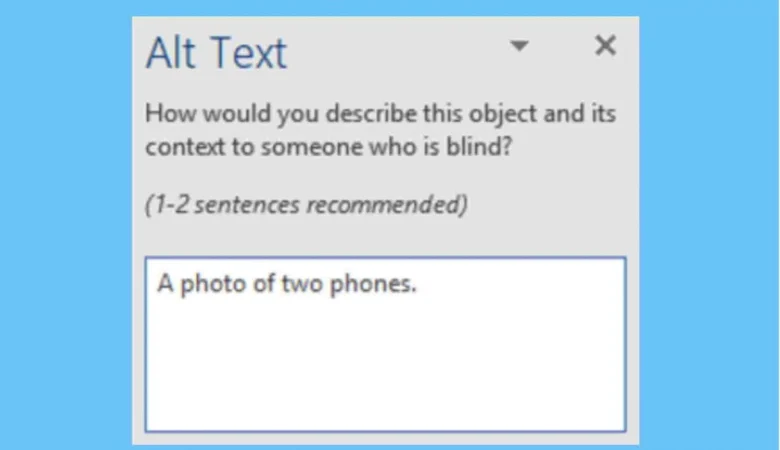
Do not copy the image title into this field. The title and the alternative description have different purposes.
For a product image, you could write:
“Black leather office chair with adjustable arms”
For a blog image, you could write:
“Developer checking image settings in the WordPress editor”
After adding the description, review the page on a mobile device. Also use a screen reader test when accessibility is important.
Common Mistakes to Avoid
- Do not leave meaningful images without a description. Do not repeat the same description for several different images.
- Avoid starting every description with “image of” or “picture of”. A screen reader already tells the user that an image is present.
- Do not describe details that cannot be seen. Do not make claims about a person’s feelings, age, or identity unless the image gives clear evidence.
- Do not use the image file name as the description. Names such as “DSC00451.jpg” do not help users.
- Do not add an SEO keyword that has no link to the image. This can reduce trust and may create a poor user experience.
How Does ALT Text Affect Image SEO?
ALT text can help search engines connect an image with the subject of a page. It may also help the image appear for relevant searches when the page and image provide useful information.
However, it is not a magic ranking method. A description alone cannot make a weak page rank well. Your page also needs useful content, good structure, fast loading, and a clear purpose.
Google recommends using descriptive text and relevant page content around an image. Image SEO also depends on factors such as image quality, file size, page relevance, and mobile performance.
ALT Text and Google Image Search
Images can appear in several Google Search experiences, including Google Images, normal search results, and Discover. Google recommends making images easy to discover and using relevant pages, descriptive file names, and useful descriptions.
Your image should also be placed on a page that is relevant to its subject. For example, a screenshot about WordPress settings makes more sense in a WordPress tutorial than in an unrelated fashion article.
Google also recommends using normal HTML image elements. It can process images in an <img> element, while CSS background images are not indexed as images in the same way.
Therefore, do not depend only on CSS background images when an image carries important information.
Also Read: Rank Math vs. Yoast SEO